
In today’s digital age, image formats matter more than ever. Whether you’re a blogger, designer, student, or business owner, having your photos in PNG format can make a big difference. PNG files offer crisp quality, transparent backgrounds, and great compatibility for websites and design projects. If you’re looking for the easiest way to convert your images, our Photo to PNG Converter Free Online tool at Photogen.in is here to help.
Why Convert Photos to PNG?
Before we dive into the “how,” let’s understand the “why.” PNG (Portable Network Graphics) is a popular image format because:
Lossless Quality – Your image remains sharp and clear even after multiple edits.
Transparency Support – Perfect for logos, icons, and web graphics.
Better for Web Use – Reduces artifacts compared to JPEG for certain graphics.
Universal Compatibility – Opens easily on all devices and platforms.
If your current images are in JPEG, JPG, BMP, or GIF, converting them to PNG can improve their usability and visual appeal.
Introducing the Best Photo to PNG Converter Free Online
At Photogen.in, we provide a free, online Photo to PNG Converter that works directly in your browser. No software downloads, no sign-ups, no complicated steps. It’s designed for speed, security, and simplicity.
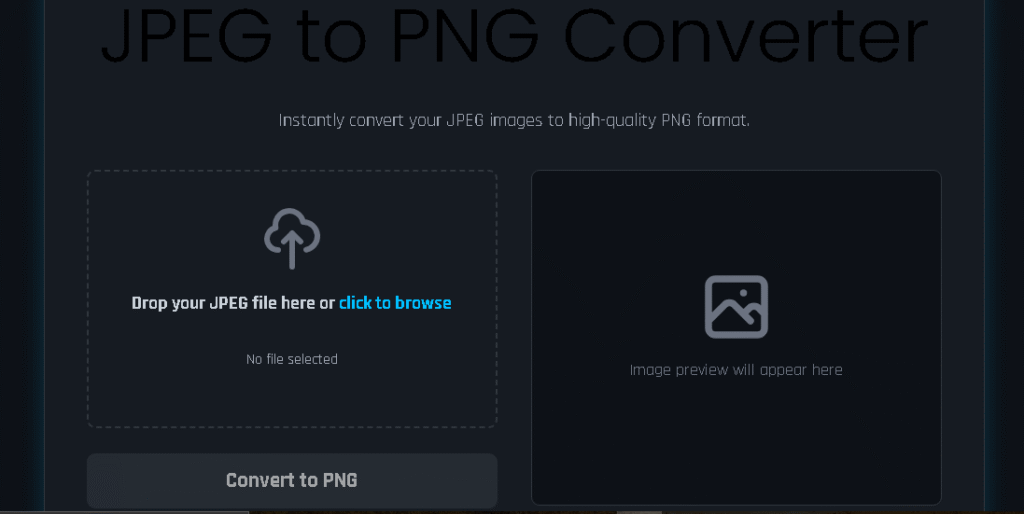
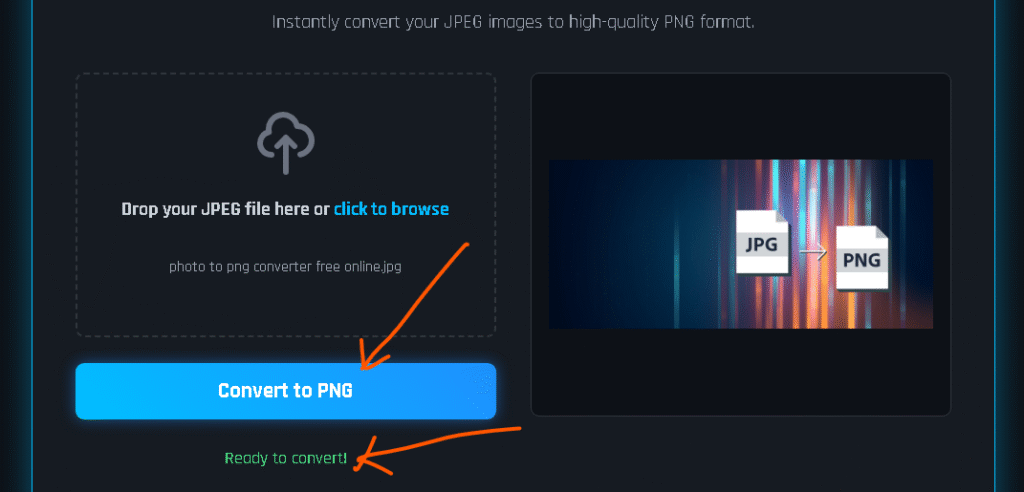
When you visit our Photo to PNG Converter page, you’ll see a clean, user-friendly interface where you can simply drag and drop your image or click to upload. Within seconds, your PNG file is ready for download.
How to Convert Your Photo to PNG in Seconds
Here’s how easy it is to use our free online converter:
Go to the Converter – Visit the Photo to PNG Converter page.
Upload Your Image – Click “Upload” or drag your photo into the box.
Automatic Conversion – The tool instantly converts your file to PNG.
Download Your PNG – Save the file directly to your device.
That’s it—four simple steps, no technical skills needed.
Why Use Photogen.in’s PNG Converter?
There are many converters out there, but here’s why ours stands out:
100% Free – No hidden fees or premium restrictions.
Instant Results – Conversion happens in seconds.
No Quality Loss – Your PNG looks as good as the original.
Safe & Private – Files are processed securely in your browser.
Multi-Device Support – Works on desktop, tablet, and mobile.
We’ve built this tool to make sure anyone—from beginners to professionals—can get their PNG files quickly and without hassle.
Our Photo to PNG Converter is just one of the many free tools we offer. On our Tools page, you’ll find:
Photo to PDF Converter – Turn your images into high-quality PDFs.
JPEG to PNG Converter – Quickly change formats without losing quality.
PDF Compressors and Converters – Reduce file size or change formats for easy sharing.
We regularly update our collection of tools to help make your digital work faster and easier.
When Should You Use PNG Over JPEG or Other Formats?
For Transparent Backgrounds – Logos, watermarks, and product images often need transparency.
For Detailed Graphics – PNG preserves fine details better.
When Editing Multiple Times – Lossless compression means no quality drop.
JPEG is great for smaller file sizes in photographs, but for graphics or transparency, PNG is unbeatable.
Tips for Better PNG Files
Start with a High-Quality Photo – Better input means better output.
Keep File Size in Mind – PNG files can be larger, so optimize for web when necessary.
Use the Right Dimensions – Avoid resizing too much after conversion to maintain clarity.
Learn More About Photo Conversion
Want more tips and tutorials? Visit our blog section where we share easy guides, design tips, and file conversion tricks. Whether you’re a beginner or a tech pro, you’ll find useful content to improve your workflow.
Final Thoughts
If you’re looking for the fastest, easiest, and most reliable Photo to PNG Converter Free Online, Photogen.in is the perfect solution. With just a few clicks, you can transform any image into a high-quality PNG file—ready for websites, designs, or professional projects.
Say goodbye to complicated software and enjoy the convenience of a secure, browser-based converter. Give it a try today and see how simple image conversion can be.